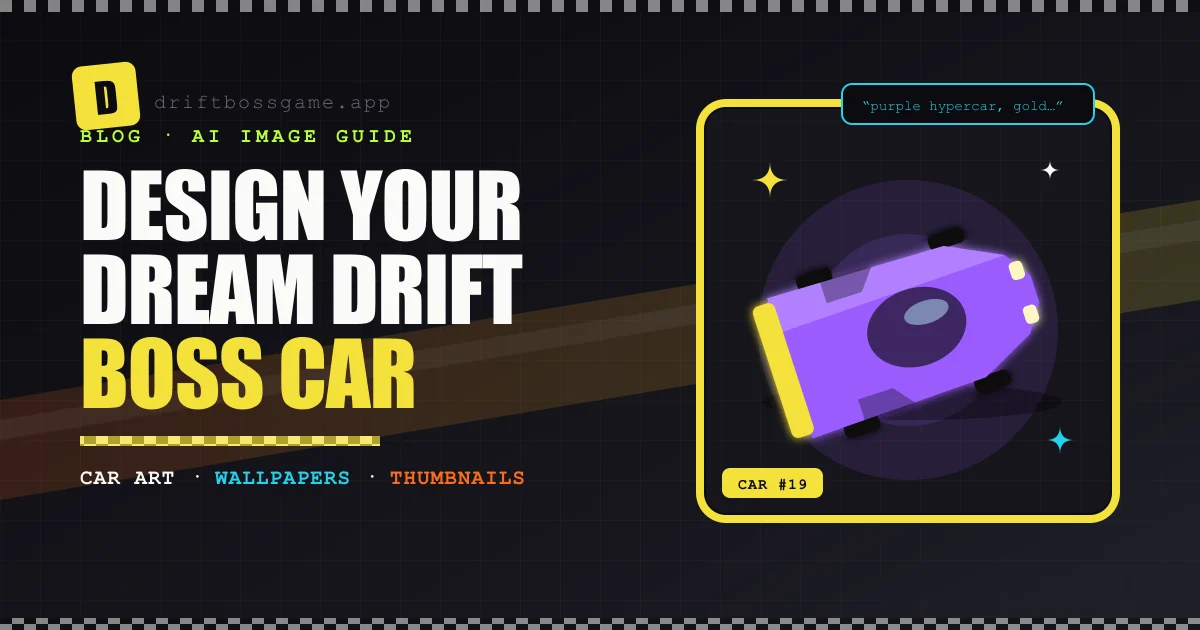
Every Drift Boss player has a favorite among the game’s 18 cars, from the forgiving starter hatchback to the Fire Truck. Most also have a car they wish existed: a taco truck, a gold hypercar, something absurd that would never survive a hairpin.
You can’t add it to the game, but you can design it. An AI image generator turns a one-line idea into car art in seconds. Once you’ve got the hang of prompting, the same skills give you style remixes of your screenshots, phone wallpapers and thumbnails for your videos.
Write a prompt in three parts: the vehicle idea, the livery, and a style suffix you reuse every time. Use a finished car as a reference image to keep your whole fleet consistent. Then use image-to-image to restyle screenshots, generate 9:16 art for wallpapers and 16:9 art for thumbnails, and add any text yourself in an editor.
Step 1: Design Car #19
The easiest place to start is text-to-image. Anyscene’s AI image generator turns a prompt into images in seconds and offers 50+ art styles, from photorealistic and 3D render to anime and watercolor. It also accepts up to five reference images, which is the key to keeping a set of cars in one consistent style.
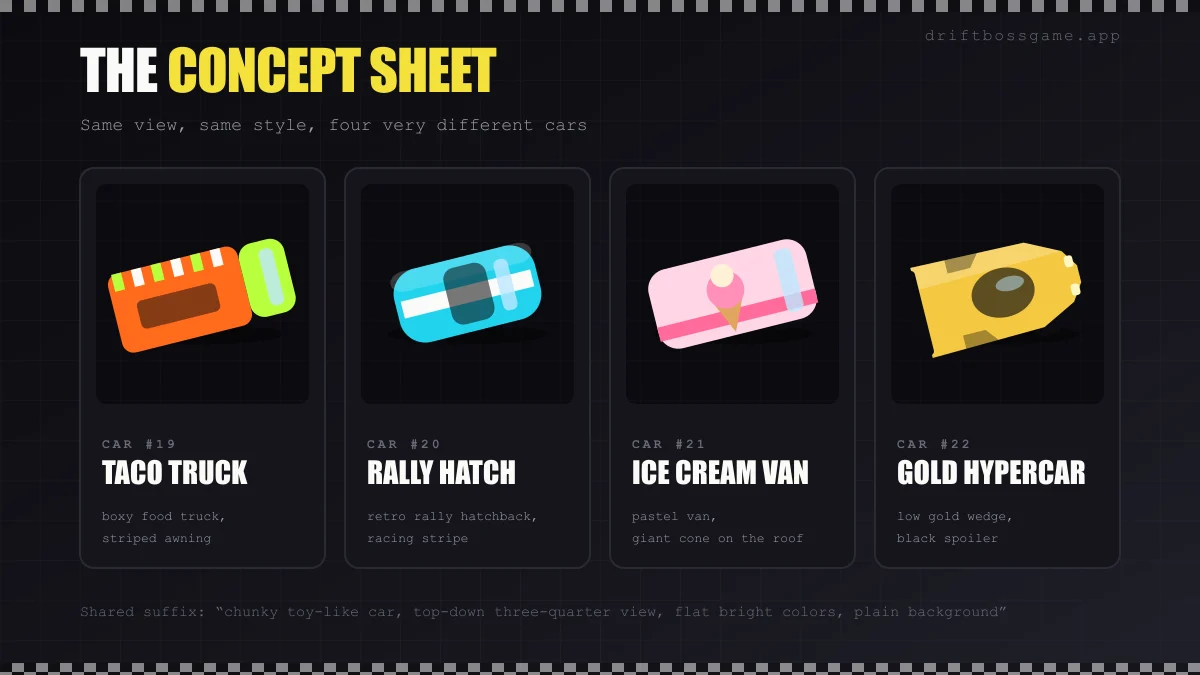
A prompt formula that works:
- The vehicle idea: “boxy food truck with a striped awning”
- The livery: “orange body, lime green cab”
- The style suffix, identical every time: “chunky toy-like car, top-down three-quarter view, flat bright colors, plain background”
The shared suffix is what makes your cars look like they belong in the same game. Once one design looks right, upload it as a reference image for the next one, so the proportions and shading stay consistent across the whole fleet.
Need ideas? Try a retro rally hatchback with a racing stripe, a pastel ice cream van with a giant cone on the roof, a low gold hypercar with a black spoiler, or a hearse for spooky runs in Drift Boss Pumpkin.
Step 2: Remix a Screenshot in Any Style
Image-to-image works the other way around: you start from a picture and change its style. Upload a Drift Boss screenshot, describe the look you want, and the AI redraws it while keeping the composition.
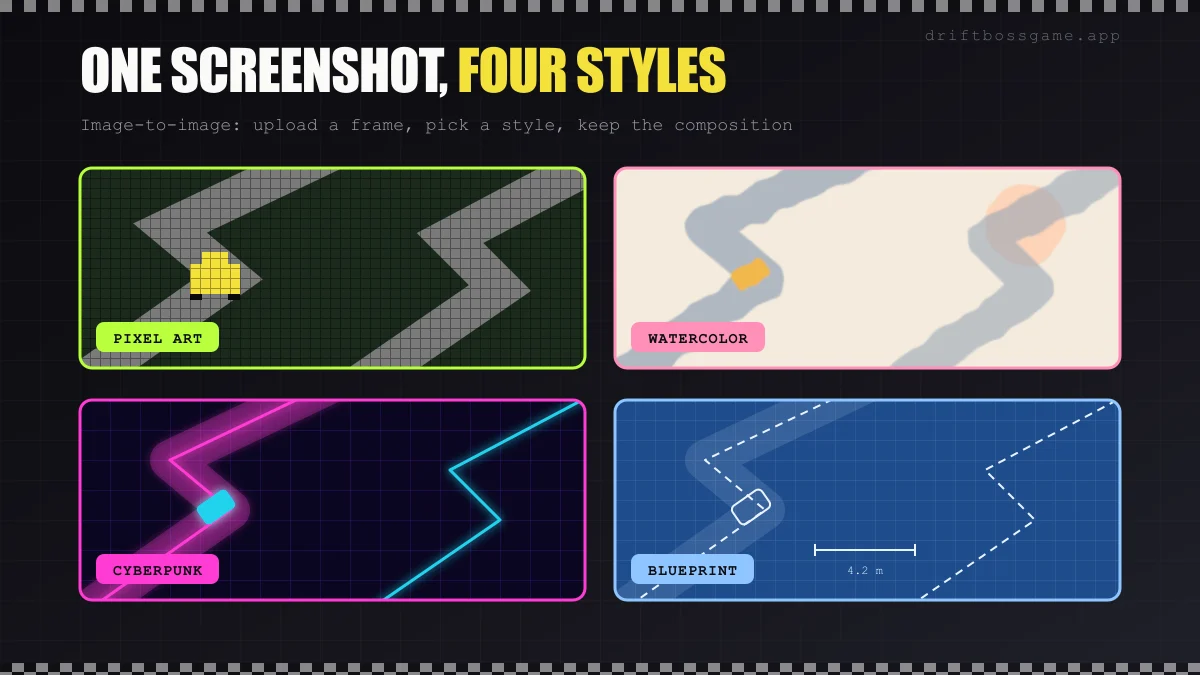
- Describe the style, not the content. “Same composition, redrawn as a watercolor painting” works better than describing the road and car all over again.
- Styles worth trying: pixel art, watercolor, cyberpunk neon, blueprint, oil painting and anime.
- Crop the interface first. Scores and buttons tend to turn into strange shapes once restyled.
- If the style swallows the scene, make the prompt more specific about what to keep, or lower the strength setting if your tool offers one.
Step 3: Make a Phone Wallpaper
Your new car deserves a spot on your lock screen.
- Generate a vertical 9:16 image if the tool lets you pick an aspect ratio.
- Keep the subject in the lower half. The top third is where your clock and widgets go.
- Keep the background simple, because app icons will sit on top of it.
- Upscale before you set it. Anyscene includes an image upscaler. Free downloads come in standard resolution, and premium plans unlock higher resolutions.
Step 4: Make Thumbnails People Click
If you post Drift Boss videos, the thumbnail does half the work. AI art makes it easy to give every video a custom one.
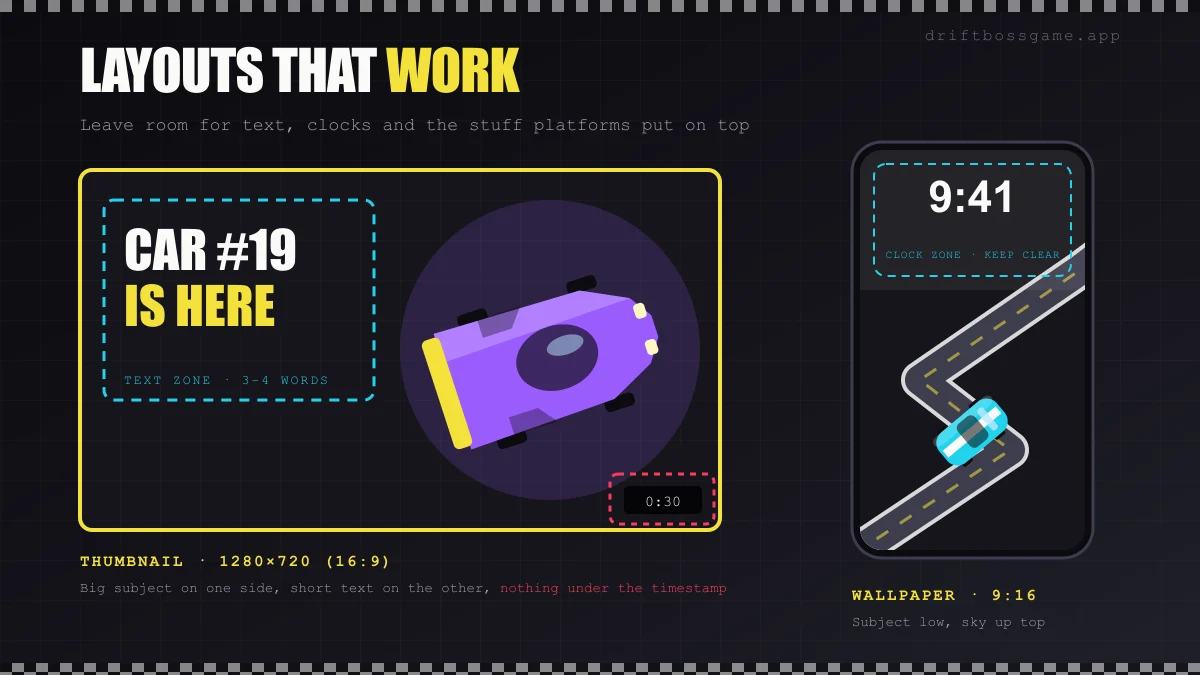
- Use 1280×720 (16:9), YouTube’s recommended thumbnail size.
- Go big and simple. One subject, strong contrast, readable at the size of a fingernail.
- Add text yourself. AI models are much better at lettering than they used to be, but a misspelled word in a thumbnail still costs you clicks. Generate the art without text, then add three or four words in an editor.
- Keep the bottom-right corner clear. YouTube puts the video length there.
- Cut out your car with a background remover and drop it onto any background you like.
Making the video itself? Our guide on how to make Drift Boss videos covers recording, scripting and voiceover. And if you want your new car to move, turn the still into an AI video.
Keep It Fan-Friendly
- Share fan art as fan art. Drift Boss belongs to its developer, MarketJS. Don’t present your designs as official cars or upcoming updates.
- Keep the name and logo off anything you sell. If you want to sell designs, make them entirely your own.
- Check the fine print. Read your plan’s license terms, and label AI-generated images wherever a platform asks you to.
Final Lap
Designing car #19 takes one good prompt: the vehicle idea, the livery and a style suffix you never change. From there, image-to-image restyles your screenshots, 9:16 art becomes a wallpaper, and 16:9 art becomes a thumbnail.
While you wait for your dream car to exist, see how far your current favorite can go. Play Drift Boss, or browse all our games for more cars to admire.
Play Drift Boss free in your browser. No download, no signup.