Arcade racers have always had someone shouting at you. Sega Rally’s “Game over, yeah!” is still quoted decades later, and a good announcer can make a perfectly ordinary finish feel like a big moment.
Drift Boss doesn’t have one. Apart from a light arcade loop, the game stays quiet, which leaves a gap you can fill in your clips. Add a hype announcer and a run gets moments: the countdown, the near miss, the new record. This guide shows how to write the callouts, build the voice with AI, make it sound like a stadium PA and drop it into your videos.
Write five to eight short callouts tied to moments: the start, a milestone, a near miss, a new best and a wipeout. Build the voice from a library, by describing it, or by cloning your own voice from a short sample. Generate two or three takes of each line, add light compression and reverb, and place the lines on the exact frame. The same cloned voice can deliver them in other languages, too.
Why Your Clips Need an Announcer
- It turns moments into events. Hearing “NEW RECORD!” lands harder than reading it.
- It gives your channel a signature sound. Use the same voice in every clip and people start to recognize it.
- You don’t have to talk on camera. No live commentary, no microphone nerves.
- You build it once. A handful of short lines can be reused in every video you make.
An announcer is different from a full voiceover. Narration explains the whole clip (our guide on how to make Drift Boss videos covers that). An announcer only speaks at the big moments, with a few short, loud lines you make once and reuse forever.
Step 1: Write the Callout Sheet
Start with the moments a Drift Boss run actually has, and give each one a line.
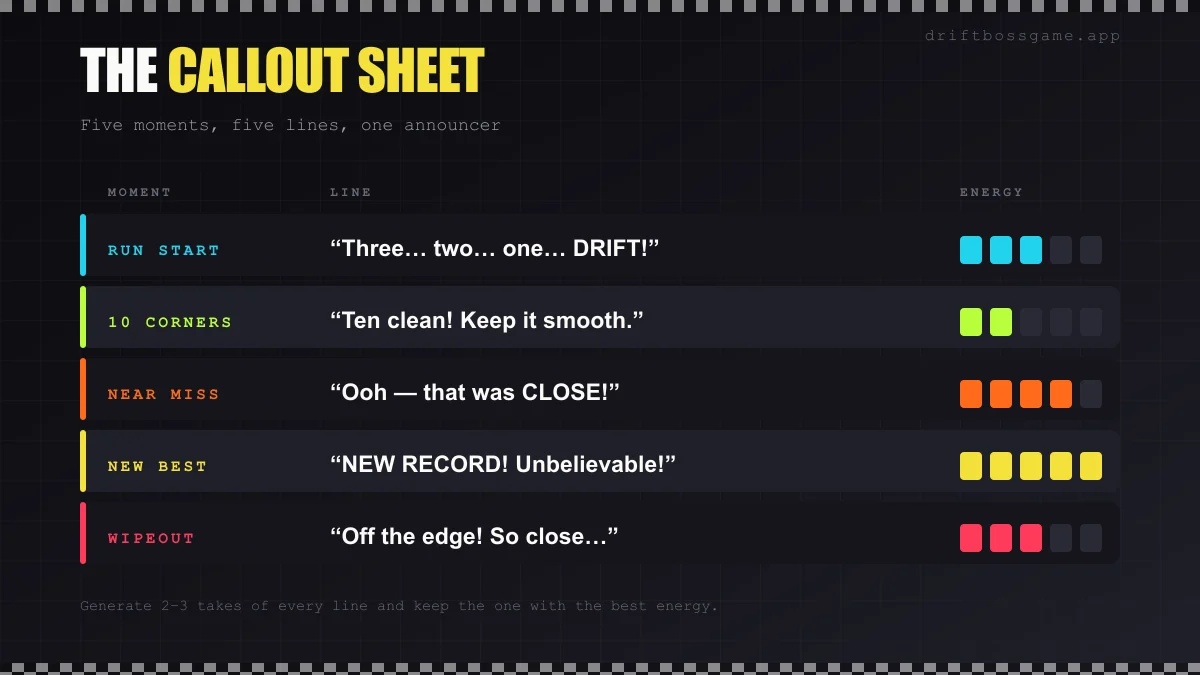
| Moment | Example line | Delivery |
|---|---|---|
| Run start | ”Three… two… one… DRIFT!” | Builds, then punches the last word |
| 10 corners | ”Ten clean! Keep it smooth.” | Upbeat but controlled |
| Near miss | ”Ooh, that was CLOSE!” | Sudden and surprised |
| New best | ”NEW RECORD! Unbelievable!” | Maximum energy |
| Wipeout | ”Off the edge! So close…” | Big, then deflating |
Keep every line short: three to five words, under two seconds. Write two or three alternates for each moment so repeats don’t sound canned. And use the words players actually use, like corners, drift and record. If you’re chasing big numbers, the Drift Boss world record page has the vocabulary the community uses.
Step 2: Build the Voice
There are three ways to get an announcer voice, and AnyVoice’s AI voice cloning studio supports all of them.
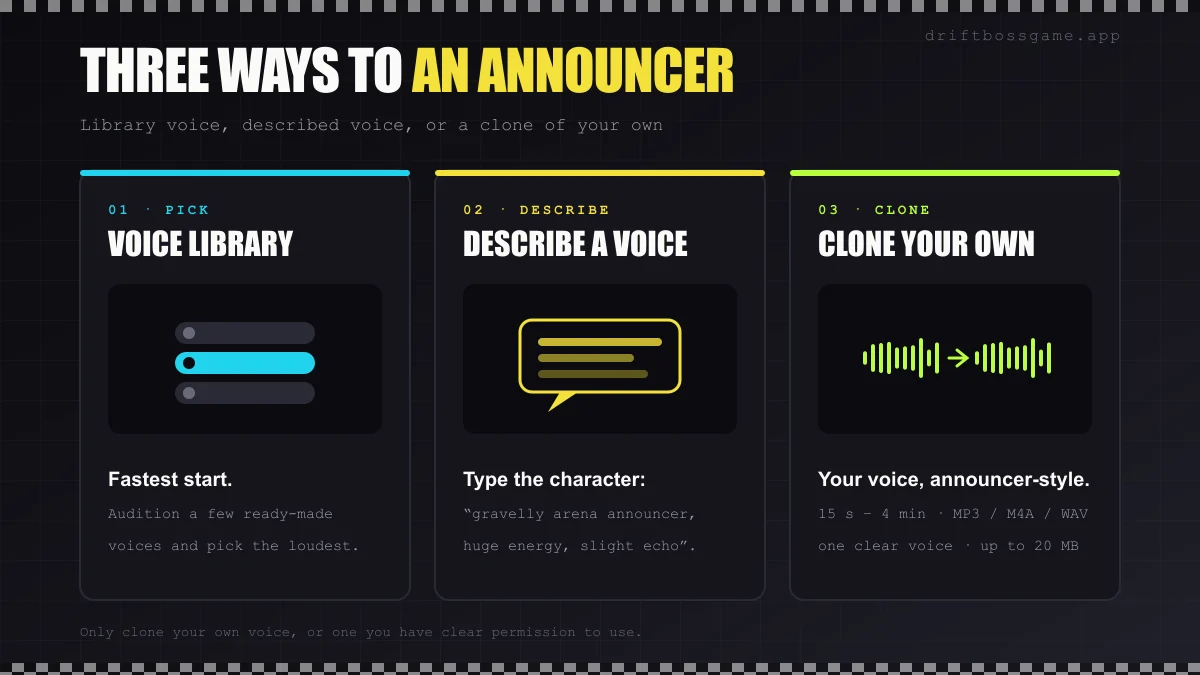
Pick from a voice library
The fastest start. Audition a few ready-made voices with your loudest line, “NEW RECORD! Unbelievable!”, and keep whichever one doesn’t flinch.
Describe the voice you want
Use the Describe Voice option and type the character instead of searching for it: “deep, gravelly arena announcer, huge energy, slightly theatrical.” Describe qualities, not people. Don’t ask for a real commentator or streamer.
Clone your own voice
Upload 15 seconds to 4 minutes of clear audio (MP3, M4A or WAV, up to 20 MB) or record straight in the browser. Your announcer is now you, just louder, and you never have to strain your voice shouting take after take.
A clean sample makes a clean clone:
- Record in a quiet room, close to the mic, with no music or background voices.
- Speak with roughly the energy you want; a flat sample tends to produce a flat clone.
- Use a single speaker. Mixed voices confuse the model.
AnyVoice logs and timestamps consent when you create a clone, keeps samples and generated audio private, and lets you delete voice models at any time. The ground rule still applies everywhere: only clone your own voice or one you have clear permission to use.
Step 3: Generate and Direct the Delivery
AI voices take direction from how you write the line.
- Exclamation marks add punch. “New record!” and “New record.” are two very different reads.
- Ellipses add pauses. “Three… two… one… DRIFT!” gives the countdown room to build.
- Generate each line on its own. Separate files are much easier to place than one long paragraph you have to cut up.
- Make two or three takes of everything. Delivery varies between generations; keep the best one.
Callouts are cheap to generate. AnyVoice bills one credit per character, so a 25-character line costs about 25 credits, and at the time of writing new accounts get 5,000 free credits with no card required. That covers a full callout sheet with plenty of retakes.
Step 4: Make It Sound Like a Stadium PA
A dry voice sounds like a phone call. A little processing turns it into an announcer. A free editor like Audacity or your video editor’s built-in audio effects will do:
- Compression evens out the volume so every line cuts through the game sound.
- EQ trims low rumble and lifts clarity, which matters on phone speakers.
- Reverb or echo, used lightly, gives you the arena feel. Too much and the words turn to mush.
- Normalize all your lines so none jumps out louder than the rest.
Step 5: Drop the Lines into Your Clips
- Hit the frame. Place “NEW RECORD!” exactly as the score flips, and the near-miss line a beat after the car recovers.
- Duck the game sound for a moment under each callout.
- Don’t overdo it. Two to four callouts per 30-second clip is plenty.
- Pair it with on-screen text. A big caption on the same frame doubles the impact.
- Name files by moment (
start-01.mp3,new-best-02.mp3) so building the next clip takes seconds.
If you also use a backing track, keep it below the announcer. Our guide to the best music for Drift Boss covers which tempos and genres fit.
Step 6: Take Your Announcer Multilingual
A cloned voice isn’t limited to the language you recorded. AnyVoice supports 80+ languages and accents, so the same announcer can shout the same moment for a completely different audience.
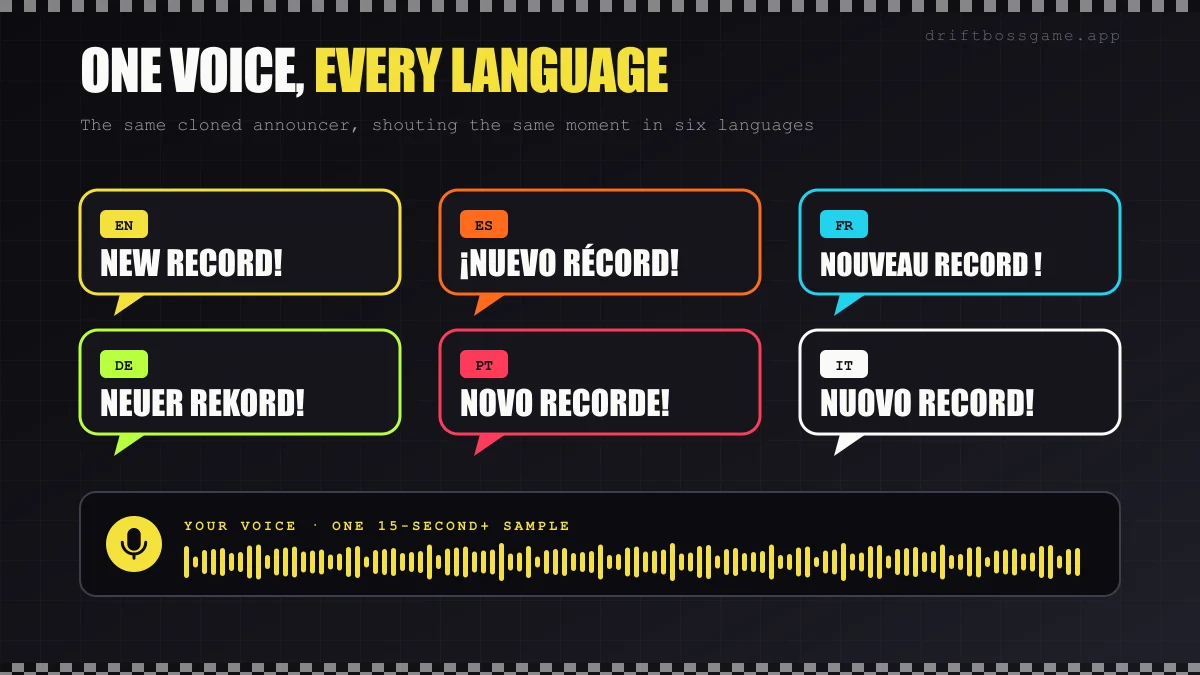
Generate “¡Nuevo récord!” or “Neuer Rekord!” and post localized cuts of your best clips, or mix languages just for fun. If you can, have a native speaker check the lines first; hype phrases don’t always translate word for word.
A Note for Indie Game Developers
Building your own HTML5 racing game? The same workflow gives you announcer lines for prototypes in minutes. Before you ship, check that your plan’s terms cover commercial use in a game.
Final Lap
A good announcer is just a handful of short, loud lines placed on the right frames. Write the callout sheet, build the voice (from a library, a description or your own clone), give it some stadium polish, and every Drift Boss clip you make gets a little more drama. It works just as well for anything in our car racing games collection.
Now go give your announcer something to shout about: play Drift Boss.
Play Drift Boss free in your browser. No download, no signup.